Business Rule
BusinessRule background information
A BusinessRule (formerly known as SolutionExtension, SX or UX) is a piece of code which can act on an action in Planon. It can extend Planon functionality where needed.
For more general information please visit: https://webhelp.planoncloud.com/en/index.html#page/Platform%20apps/c_pp_business_rule.html
A BusinessRule can be compared to a trigger of a database. It can be configured in Planon on a BusinessObject (BO) to react on changes on that BO when the BO is read, saved or deleted.
A BusinessRule can be created in a developer environment by using Java code. This is time consuming and similar solutions must be created al over again each time.
This Logic Flow Builder solution will prevent that. Logics can be created very quickly and easy in a visual editor by dragging and dropping functions which will lead to the logical flow. This configuration can be exported and imported to other environments which also have this app installed. There is no need to program Java code anymore so it can also be used by functional consultants and customers.
The following statements are true:
- When registering an action on “Before” all the changes which are being made on the changing New (UD)BO are saved automatically afterwards. Therefore DO NOT manually save the triggering BO
- When registering an action on “After”, all changes are not being saved automatically. An explicit save function on the triggering BO must be executed in the end.
- Changing values of the “Old” will have no effect. The old value is purely for reading values.
- When jumping to another BO, for example a Property, that Property is not saved automatically anymore. This must explicitly be done by adding a save function.
Logic Flow Builder
Business Rules
The app comes with business rules that are responsible for execution of logic created through the configuration via the Visual Editor. The business rules needs to be configured on the Business object in the fielddefiner on which the logic needs to be executed.
The app comes with two business rules
ConfigurableBusinessRule (Recommended)
To use this businessrule a free module is needed first. Chapter Planon Configuration will explain in more detail which field are needed. When registering the rule to the preferred BusinessObject (where you want to build the logic) there is only one setting available which is the configuration code. This field will hold the code of the configuration stored in the free module (when used). The businessrule will fetch the configuration from that referenced free module record.

ConfigurableStandaloneBusinessRule
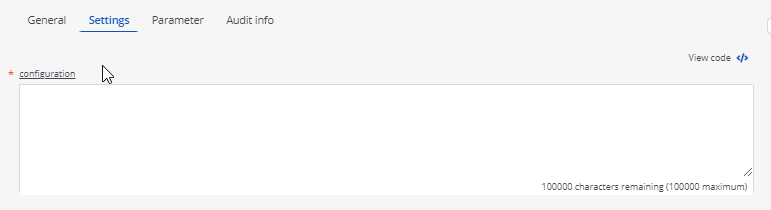
This rule comes with a parameter where the configuration created from visual editor needs to be copied during the configuration of the rule on the Business Object. The configuration from Visual Editor must be copied manually whenever it is changed.
Chapter 9 provides the details of the configuration