Troubleshooting
This page describes common things and known issues to check in case the app is not working as expected. For tracing the execution of a configuration, see Debugging.
Common checks
- Nothing is happening in a BusinessRule : General setting -> Planon has a general (General TSI) setting “User extensions enabled” which must be enabled.
- Error Configuration has been tampered with -> This check is to prevent manual modification of the configuration. In some cases an update of the app can cause this message. This can easily be solved by opening the configuration in the editor and saving it again. This way the new checksum will be calculated and inserted into the configuration.
Error handling
There are several error/logging options:
The visual editor will directly show errors while configuring, such as fields, states or BOs which are not available. Fields will turn red if something is wrong once leaving the field.

Popups will be shown if something is wrong while saving.
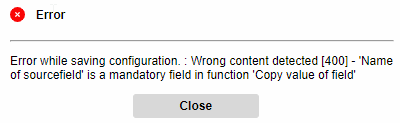
While executing the BusinessRule configuration in Planon, a regular message will be shown if something is wrong.
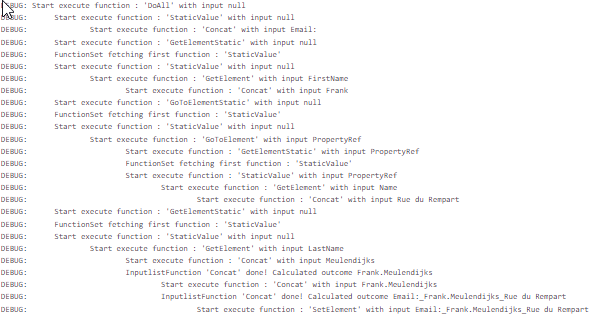
The WildFly log will contain errors. To have a debug output of the app, change the app log level on the app in the AppCenter. When executing the BusinessRule in Planon, a flow log will be added to the WildFly or Tomcat log to see the exact steps.

Reporting a problem to Planon
Important note: in case of a problem/bug of the app, the following steps must be considered:
- Make sure you use the latest version of the app. In AppCenter, after selecting the app, click update to automatically update the app.
- Re-test the issue in the new version.
- If the issue still occurs, communicate the following information to Planon:
- Functional description of the problem
- Version of Planon
- Version of the LFB App
- Screenshot of the complete flow
- Copy of the configuration. This can be copied via the import/export button in the editor.
- Reproduction steps -